How to Transfer WhatsApp Chats to GB WhatsApp
Prepare official WhatsApp data, understand backup compatibility, and switch to GB WhatsApp with the lowest possible risk of losing conversations.
Can You Transfer WhatsApp Chats to GB WhatsApp?
Many users move from official WhatsApp to GB WhatsApp to gain extra privacy and customization features. Chat migration depends on backup format, Android version, and whether both apps can read the same local database path — not on a single official “transfer to mod” tool.
Meta does not support third-party clients. Treat migration as a best-effort process: back up, verify files, install GB WhatsApp, then attempt restore during setup. There is no guarantee every message or media item will carry over.
What to Prepare Before Transferring Chats
- Enough free storage for backup plus GB WhatsApp install.
- Updated official WhatsApp with a fresh local/Google backup.
- Target GB WhatsApp APK version from a consistent source.
- Same SIM/number ready for verification.
- Separate copy of media you cannot afford to lose.
Back Up Your WhatsApp Conversations
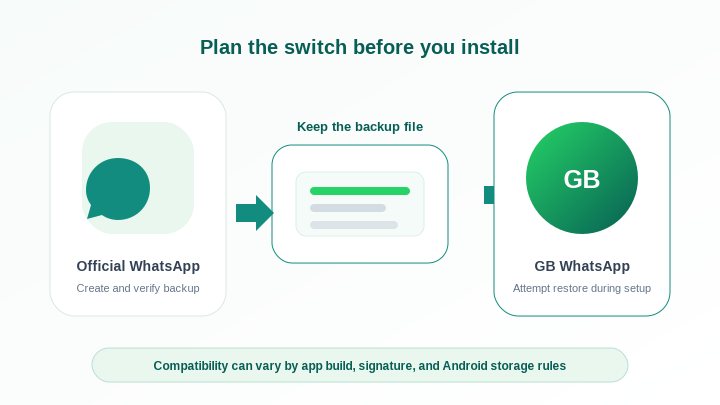
Prepare the Backup for GB WhatsApp
Official and mod clients may use similar folder names but different package signatures. Before uninstalling official WhatsApp, note where backup and media folders live and copy them to a safe location.
Android scoped storage can block moves between apps. Do not delete official WhatsApp until you confirm copies exist and you understand which restore path GB WhatsApp will offer on your version.
Install GB WhatsApp and Check Compatibility
Download the latest APK from this site and follow the GB WhatsApp install guide. Because official WhatsApp and GB WhatsApp share package constraints, you typically uninstall official WhatsApp before GB WhatsApp can install — only do this after backups are verified.
Restore Your Chats and Media
If restore fails, stop before clearing data. Review how to restore GB WhatsApp backup to avoid overwriting the only backup copy you have.
Check Your Conversations After Migration
- Scroll recent one-to-one chats for missing days.
- Open active group chats and search for a known keyword.
- Test photos, videos, and voice notes in different chats.
- Confirm original backup files still exist in storage or cloud.
Common WhatsApp to GB WhatsApp Transfer Problems
- Backup not detected — wrong folder, cleared storage, or signature mismatch.
- Restore option missing — setup completed without scan; reinstall only if you have file copies.
- Chats OK but media missing — media folders not copied or not included in backup.
- Incompatible backup — created on a different Android user profile or mod.
- Verification issues — SIM or number changed since backup was taken.